How it works

One button. One outlet. One press.

WiFiCurfew is intentionally simple. The receiver plugs into the wall next to your router. The battery-free button sits on your nightstand. Press it before bed and the router loses power. Press it in the morning and the WiFi is back. There is no app. There is nothing to bypass that doesn't involve walking into your bedroom.

Installation

From box to bedtime, three steps.

  1. 1

    Plug WiFiCurfew between the wall and the router.

    Pass-through outlet. Slim. Fits behind the bookshelf or the TV stand. No electrician, no rewiring, no firmware setup, no app pairing.

  2. 2

    Set the button on your nightstand.

    A small battery-free dome about the size of a coaster. No batteries, no charger, no wall plate. Put it next to your lamp where you'll remember to press it.

  3. 3

    Press at lights-out. Press again at sunrise.

    The press itself powers the signal across the house. The router loses power. The tablets, the consoles, the TVs, the iPads all drop their WiFi within seconds. Press it again in the morning, the router boots back in 30 to 60 seconds.
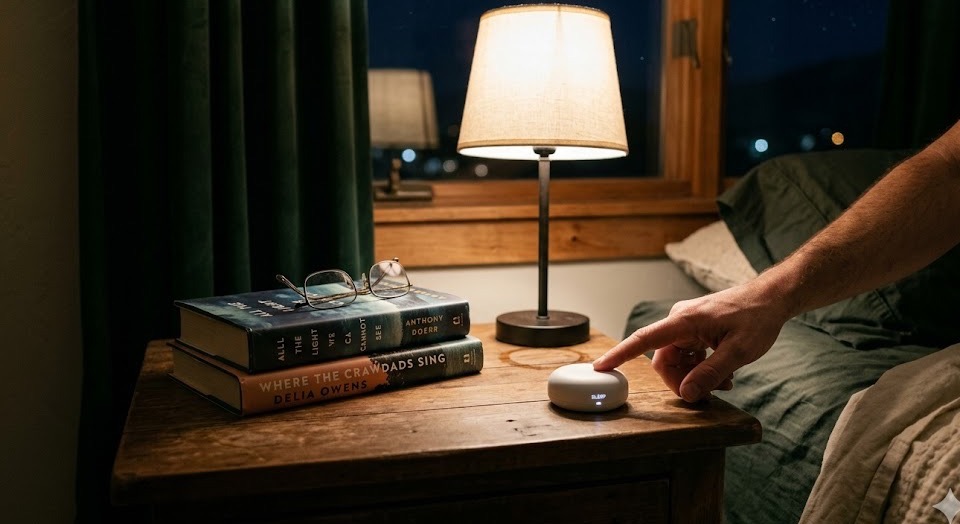
A parent's hand reaching across a bedside nightstand toward the WiFiCurfew battery-free button, warm lamp glow
A night in the life

What it looks like at 10:48 PM.

On the nightstand. Next to the lamp. Next to the book. Next to the glass of water you put there an hour ago.

FAQ

Questions before you ask.

Anything in the house that talks to your WiFi router. The kids' tablets and iPads. Smart TVs and streaming sticks. Gaming consoles (PlayStation, Xbox, Switch). Wired computers and laptops that route through your home network. Smart toys and Bluetooth-bridged devices. The big screen-time stuff lives on WiFi, so the big screen-time stuff is what stops.

All. Whole house. v1 is intentionally blunt. The trade-off: nothing for the kid to argue with, nothing for them to spoof, no MAC-address whitelist arms race. Yes, your own devices go down too. We chose that because it forces the rule to be the same for everyone in the house.

Not in v1. Press-by-hand is the whole product. The act of pressing the button on your nightstand is a feature, not a bug. The decision is yours, the negotiation is over the second you press, and the rule is a physical artifact of the household rather than a hidden cron job. Scheduling and per-device control are on the v2 roadmap if customers ask for them.

No. WiFiCurfew just cuts wall power. It's the same thing as unplugging the router and plugging it back in. Consumer routers and modems are designed to handle unexpected power loss because that is the standard ISP recovery procedure.

Anything that needs WiFi will go down while the switch is off. Most smart home devices recover on their own when WiFi returns. If you have safety-critical WiFi devices (medical, security alarm panels), think carefully about whether you want whole-house cuts, or wait for the per-device version.

Technically yes. Practically, the button lives on your nightstand. Sneaking into a parent's bedroom at 11 PM to press a button on the lamp side of the bed is a higher bar than tapping a screen across the house. If your kid is willing to do that, you have a different problem and we can't solve it. A lockable enclosure is on the v2 roadmap if customers ask for it.

Because every parental-control feature your kid encounters becomes a vulnerability they will eventually solve. Schedules get learned and beaten. Per-device control means MAC spoofing. APIs mean homework-time bypasses. The dumb thing (a button with no software) has no surface area to exploit. We made the opposite product on purpose.

It is in stock now for $39.99. Orders ship from Utah and arrive in 3 to 5 business days.

Close the internet tonight.

$39.99

One time. No subscription. One button, one plug, pre-linked in the box. Plug it in tonight, press it tonight.

Add to cart →